
SEO for Photography Business: How to Get More Clients from Google and AI Search
SEO for photography business owners means making your website easy for Google, Bing and AI tools to find, understand and recommend. Most clients compare several studios before they enquire. They search for phrases like “wedding photographer near me” or “family photography packages”, and some now ask ChatGPT or Gemini instead. If your site is only a gallery and a contact form, search engines have little text to work with.
This guide is for photographers and studios that want more qualified enquiries without depending only on referrals, social media or paid ads. It covers keyword strategy, local SEO, technical fixes, content and AI SEO (generative engine optimization, or GEO). No one can guarantee rankings, bookings or AI recommendations. A clear strategy does give you more chances to be found.
Why Photography Businesses Struggle to Get Found Online
Photography is a visual business, but search engines read text. That gap causes most visibility problems.
- Gallery-first websites. Beautiful images with no captions or descriptions give Google little to rank.
- One page for every service. A single “Services” page cannot rank for wedding, headshot, family and commercial searches at once.
- Heavy dependence on social media. Instagram reach is rented. Organic search builds an asset you own.
- Slow image-heavy pages. Large files can hurt mobile performance.
- Weak local signals. An incomplete Google Business Profile makes local results harder to win.
- Unclear pricing and process. Visitors leave when they cannot tell what a session includes.
- Low AI search visibility. If your services and service area are vague, AI tools have little to quote.
What Do Clients Search for Before Hiring a Photographer?
Search behaviour changes by photography type. Your pages should match the way each client thinks.
| Photography type | Example searches | Typical intent |
|---|---|---|
| Wedding | wedding photographer near me, wedding photography packages | Commercial / local |
| Portrait and headshots | corporate headshot photographer, personal branding photos | Commercial |
| Family and newborn | family photographer, newborn photography session | Local / commercial |
| Commercial and product | product photographer for online stores, brand photography | Commercial |
| Real estate | real estate photographer, property photography | Transactional / local |
| Events | event photographer, corporate event photography | Local / transactional |
Some searches are early research, such as “how much does a wedding photographer cost”. Others are ready to book, such as “family photographer available this month”. Give each page one clear purpose.
How SEO Helps Photographers Attract More Clients
SEO connects your services to what people already search for. A good plan targets commercial keywords (searches from people comparing photographers) as well as informational ones (searches from people planning a shoot). Professional SEO services for photographers usually combine keyword research, page optimization, technical fixes, local SEO and content.
The main benefits are:
- More visibility when clients search for your service and area.
- Enquiries from people who have never seen your social profiles.
- Less reliance on paid advertising over time.
- A website that works as a steady source of leads, not just an online portfolio.
Core SEO Strategies for Photography Websites
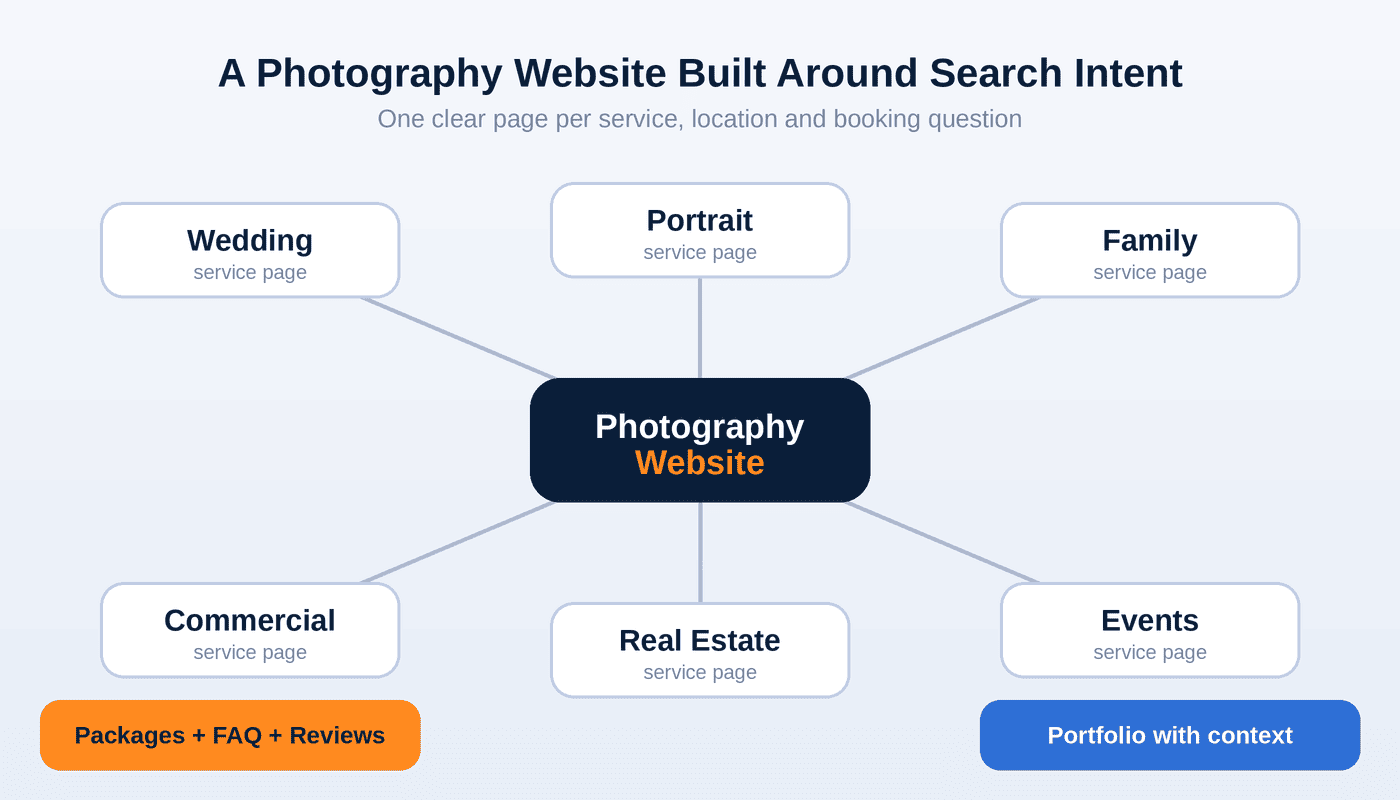
Build one page for each service
Create a separate page for each service you want to be hired for, such as wedding, portrait, family, commercial or real estate photography. Each page should explain who the service is for, what is included, how booking works and what clients can expect. Add a few relevant FAQs.
Weddings are a good example of why this matters. A bride-to-be has different questions from a company hiring a product photographer. For related reading on a wedding-adjacent business, see WebCFX’s guide to SEO for bridal makeup artists. If you specialise further, the guide to SEO for birth photographers shows how a niche service gets its own page structure.
Make your portfolio searchable
Treat each gallery as a mini landing page. Add a heading, a short description of the shoot, the type of session and the area. Link each gallery to the matching service page. Always have client permission before publishing images.
Optimise images without hurting speed
Images are your best asset and your biggest technical risk. Use descriptive file names, such as outdoor-family-portrait-session.png. Write alt text that describes the image in plain language. Compress files and lazy-load images below the fold. Google’s image guidance recommends descriptive alt text and file names.
Fix technical SEO
Technical SEO makes sure search engines can crawl and index your pages. Check that service pages are indexable, appear in your XML sitemap and load well on mobile. Put key information in real text, not only inside sliders or image overlays. Use HTTPS, clean URLs and strong internal links. Website optimization for photographers is often about removing these hidden blocks.
Publish content that answers real questions
Content builds trust and captures early-stage searches. Useful topics include:
- How much does a wedding photographer cost, and what affects the price?
- What should we wear for a family photo session?
- How long does gallery delivery take?
- How do commercial photography licences work?
- How many photos will I receive?
Write from real experience, in your own voice. Google’s guidance on helpful, reliable, people-first content applies directly here.
Local SEO for Photographers: Winning Searches in Your Area
Most photography clients want someone who can reach their venue, home or office. Local SEO for photographers helps you appear in Google Maps and local results for searches like “photographer near me” or “wedding photographer in Austin”.
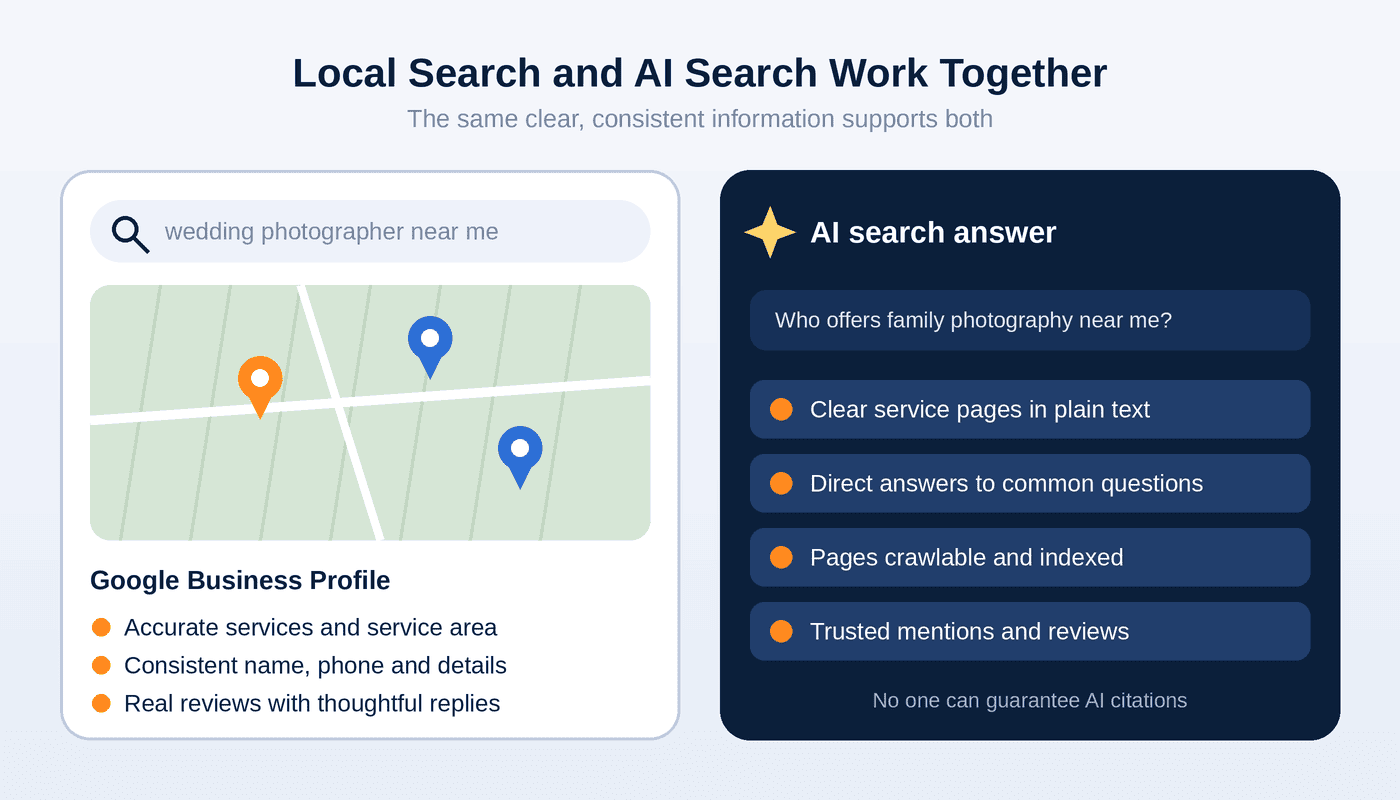
Optimise your Google Business Profile
Google says local results are based mainly on relevance, distance and prominence. You cannot pay for a better local ranking. Keep these basics right:
- Choose the most accurate primary category, and add services.
- Set your service area. If you work from home, check Google’s current rules before showing your address.
- Add business hours, a booking link and photos you have permission to share.
- Ask happy clients for reviews, and reply professionally.
- Use the same name, address (if shown) and phone number everywhere online.
Build useful location pages
If you travel for shoots, create location pages only for places you genuinely serve. A page for “family photographer in Toronto” should mention real local details: popular session locations, travel policy and how you plan around seasons or weather. Do not clone the same page and swap the city name.
Here are examples of how local searches vary by country. They show phrasing, not guaranteed rankings:
- USA: photographers in Texas, California or Illinois, with city searches such as Austin, Los Angeles or Chicago.
- UK: wedding or portrait photographers in Greater London or Greater Manchester.
- Canada: family or event photographers in Ontario or British Columbia, such as Toronto or Vancouver.
- Australia: commercial or wedding photographers in New South Wales or Victoria, such as Sydney or Melbourne.
- Europe: searches in the local language, so a studio in Berlin or Amsterdam should write pages in the language clients actually use.
Use regional spelling where relevant, such as “optimisation” and “studio centre” for UK and Australian audiences. Choose only locations that match your real service area, and keep local search optimisation focused on the places where you want clients.
How AI SEO (GEO) Helps Photography Businesses Appear in AI Search
AI SEO, also called GEO, is about making your business clear and trustworthy to AI-powered search tools. It builds on SEO rather than replacing it. Clients now ask AI assistants questions like “Who is a good newborn photographer near me?” or “How much does corporate headshot photography cost?”
No one can guarantee that ChatGPT, Gemini, Perplexity or Microsoft Copilot will recommend your studio. You can improve how easily they understand you:
- Say what you do in plain sentences. Name your services, areas and booking process near the top of key pages.
- Answer questions directly. Use question headings and give a short answer first.
- Stay consistent. Keep business details identical across your website, Google Business Profile and directories.
- Show real experience. Include your background, approach and client process.
- Earn trusted mentions. Reviews, local features and relevant links support credibility.
Google states that standard SEO best practices apply to AI Overviews and AI Mode, with no extra special optimization required. To be eligible, a page needs to be indexed and eligible to appear in Search with a snippet. For other AI tools, there is no verified formula. A crawlable, clear and consistent website is the safest foundation.
Photography SEO Mistakes to Avoid
- Targeting only one broad keyword like “photographer”.
- Publishing full-size, uncompressed images.
- Leaving alt text empty or stuffing it with keywords.
- Using the same page text for every city.
- Hiding prices and process so visitors cannot tell if you fit their needs.
- Ignoring Google Business Profile reviews and messages.
- Buying low-quality links or trusting anyone who guarantees rankings.
- Publishing client photos without permission.
How to Build a Long-Term SEO Strategy for Your Photography Business
SEO works as a routine, not a one-time project.
- Audit your site for indexing problems, slow pages and missing service pages.
- Research the keywords and questions clients use in your area.
- Build service pages, location pages and an optimised Google Business Profile.
- Publish helpful content on a steady schedule.
- Earn relevant links from venues, planners, vendors and local publications.
- Measure impressions, clicks, queries and enquiries in Google Search Console, Bing Webmaster Tools and analytics.
Results vary by market, competition and starting point.
How to Choose an SEO Agency for Photographers
When comparing an SEO agency for photographers or an SEO company for photography businesses, ask:
- Will you explain the work in plain language and share reports?
- How will you handle my service areas?
- Do you cover local SEO, technical SEO and AI SEO?
- How do you treat client images and permissions?
- Can I review the work before committing long term?
Be careful with anyone who guarantees first-page rankings, a set number of bookings or AI citations. Nobody controls those outcomes.
How WebCFX Can Help Photography Businesses
WebCFX provides SEO and AI SEO (GEO) services for service-based businesses and online stores. For photographers, that can include:
| WebCFX service | What it means for a photography business |
|---|---|
| SEO and On-Page SEO | Service pages, headings, metadata and content |
| Local SEO | Visibility in your real service areas |
| Technical SEO | Crawling, indexing and gallery speed |
| AI SEO (GEO) | Clearer information for AI search tools |
| Off-Page SEO | Relevant, white-hat authority building |
| Ecommerce SEO / Shopify SEO | Useful if you sell prints, presets or digital products |
If you sell prints or albums online, WebCFX’s guide to SEO for beauty ecommerce stores shows how SEO applies to an online store.
Ready to Grow Your Photography Business Through SEO and AI Search?
Improving your organic search visibility can create more opportunities to reach potential clients. WebCFX helps businesses improve Google rankings, attract relevant organic traffic and build visibility across AI search platforms such as ChatGPT, Gemini and Perplexity.
You can start with our 5-day free trial with no upfront payment. During the trial you can review the SEO work being completed, receive the first work report and evaluate it before the first billing. You can then choose a suitable SEO or SEO + AI SEO plan.
- Explore Our Latest Clients and Work
- Choose Your Free Trial Plan
- Contact our team on WhatsApp
- Visit https://webcfx.com/ to learn more.
Frequently Asked Questions
How can a photographer get more clients from Google?
Build a separate page for each service, optimise your Google Business Profile, publish helpful content and earn reviews. Then track queries and enquiries in Google Search Console.
How much does SEO cost for a photography business?
Cost depends on your market, competition, website condition and the scope of work. Ask any provider to explain exactly what is included, and compare plans before committing.
Why is my photography website not ranking on Google?
Common causes are a gallery-only site, one generic services page, slow images, pages that are not indexed, weak local signals and strong local competitors. Search Console is the best place to start diagnosing.
What keywords should photographers target?
Combine your service with your area, such as “family photographer” plus your city, then add pricing, package and booking terms. Validate demand with Google Keyword Planner and Search Console rather than guessing.
Do photographers need local SEO if they travel for shoots?
Yes, for the areas you genuinely cover. Local SEO helps nearby clients find you in Maps and local results, and location pages can explain your travel policy.
How can a photography business appear in AI search results?
Keep your site crawlable, state your services and service area in plain text, answer common questions directly and keep business details consistent online. This improves your chances but cannot guarantee a mention.
How should I write alt text for photography images?
Describe what is in the image in a short, natural sentence. Skip keyword stuffing and avoid naming private clients.
Is hiring an SEO company worth it for a solo photographer?
It can be if you lack time for technical fixes, content and local listings. A trial period with visible work and reporting lets you judge before committing.
Conclusion
SEO for photography business success comes down to clear service pages, a searchable portfolio, strong local signals, fast images and helpful content. AI SEO makes sure the same information is easy for newer search tools to understand. If you want a team to handle it, review WebCFX’s client work, start the 5-day free trial or message us on WhatsApp.


